Vilnius · Kaunas · Klaipėda · Šiauliai

Audi navigation maps and updates

Audi navigation maps are updated according to your car's system: MMI 2G, 3G, 3G+, MIB, RNS-E and older ones. Lithuania in detail, and the map update comes with a 12-month warranty.

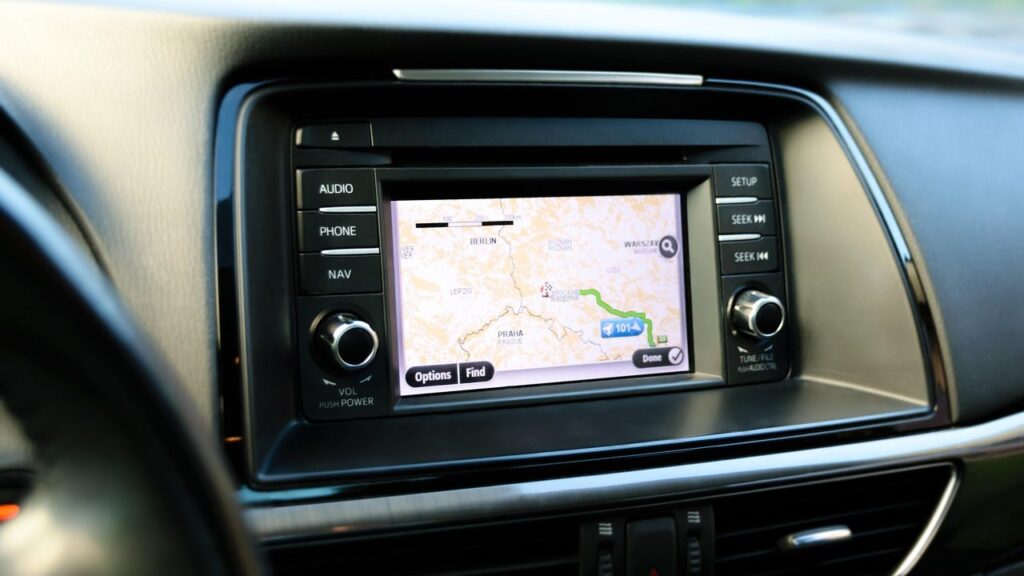
Alfa Romeo car navigation screen with a map

techremontas.lt Repair receipt

warranty on map updates
12 months
initial diagnostics
€10
diagnostics (business days)
1–2 days
for Audi maps: Vilnius and Kaunas
2 cities

Price agreed before repair · warranty on work

Which city is more convenient for you?

Vilnius

Kareivių g. 11A, Žirmūnai

„Rimi“ next to McDonald’s

Kaunas

Savanorių pr. 155, Žaliakalnis

Klaipėda

Sausio 15-osios g. 13

Next to „Avitela“

Šiauliai

Gegužių g. 30

PC „Arena“

  • Diagnostics within 1–2 days
  • Price agreed in advance
  • Mon–Fri 9–18
  • All contacts

Audi navigation maps become outdated faster than you might think: new roundabouts, bypasses and motorway sections do not appear on the screen by themselves. We offer Audi map updates in Vilnius and Kaunas, depending on the system type – from MIB to older MMI 2G and RNS-E with CD. On this page you will find which systems have maps available, how to tell that a map is out of date and what to bring.

You can find general information about navigation systems of all brands on the page navigation map updates.

  • How much does an Audi map update cost? The price depends on the system type. We tell you after the initial diagnostics (10 €) and agree on it in advance; we carry out work only with your consent.
  • How long does it take? Diagnostics take 1–2 business days. We agree on the update timeframe together with the price, as it depends on the system.
  • Is there a warranty on the update? Yes, a 12-month warranty is provided for Audi map updates.
  • Which Audi systems have maps available? MIB, MMI 3G+/3GP, MMI 3G (HNav and BNav), MMI 2G (DVD and CD), RNS-E and RNS 4 / BNS 4.x for older Audis.
How to tell that an Audi map is outdated

The most common signs that a map may be outdated or that the system is not working properly. They show whether an update will be enough or whether a deeper look is needed.

01

Audi navigation shows that I am driving across a field

WhyThe map is old: new roads, roundabouts and slip roads are simply not recorded in it. This can happen when the version is old.

Check for yourselfIn the menu, look at the map version date and compare it with the current one.

What we doWe install maps of Lithuania (detailed) and other countries, matched to your system type.

02

Audi navigation SD card not recognized or shows an error

WhyThe storage medium may be damaged or may not match the system version.

Check it yourselfCheck that the card is inserted correctly. If the error persists, it is best to contact a service centre.

What we doDuring diagnostics we check the storage medium and the system version; we agree on the solution and the price with you before starting any work.

03

Audi navigation does not read the CD

WhyIn older MMI 2G and RNS-E systems, the disc reader may be worn out or the disc may be scratched.

Check it yourselfCheck that the disc is clean and matches your system’s region (e.g., CD 7 – Eastern Europe with detailed Lithuania).

What we doDuring diagnostics we determine whether the disc or the reader is at fault, and we agree on further steps with you.

04

Audi navigation map shows only some of the countries

WhyThe wrong version has been installed, or not all map discs or packages have been loaded.

What we doWe check which countries are installed and discuss what is missing.

05

Audi navigation freezes or restarts by itself

WhyThe cause may be corrupted map files, outdated software, or problems with the internal HDD in MMI 3G systems.

What we doWe diagnose whether rewriting the data is enough or whether the problem is hardware-related.

06

Audi navigation update failed

WhyMost often the cause is an incompatible file package or an interrupted installation.

What we doWe check the system and discuss how to restore a working version and install the correct package.

How much Audi navigation services cost

The price depends on the system type and your model year, so we give it after diagnostics.

Diagnostics

ServicePriceWarranty
Initial diagnostics10 €–

Map update

ServicePriceWarranty
Audi navigation map update (price depends on the system)compatible12 mo.
MIB system map updatefrom 59 €12 mo.
MMI 2G, RNS-E or RNS 4 maps (DVD / CD)from 49 €12 mo.

Errors and software

ServicePriceWarranty
Fixing navigation errors and freezesfrom 40 €–
Recovery of a non-working map cardfrom 30 €–
We do not list fixed prices for Audi maps here: we give the exact price after diagnostics and agree on it before starting work. The 12-month warranty applies to map updates.

What people get wrong about Audi maps

  • Myth. Any map file from the internet will do. In fact. Each system (MIB, MMI 3G, RNS-E) has its own map package. An unsuitable package can cause errors, so your system is identified first.
  • Myth. All Audis have the same navigation. In fact. Depending on the model and year of manufacture, an Audi may have MIB, MMI 3G+, MMI 3G, MMI 2G, RNS-E or another system, and their map packages differ.
  • Myth. Updating maps on an old Audi is impossible. In fact. MMI 2G and RNS-E have map sets with detailed Lithuania (for example, MMI 2G DVD2 or RNS-E CD3), so a package can often be found for an older system.

Which Audi systems have maps available

By system type, we have the following Audi map packages:

  • MIB – A1, A2, A3, A4, A5, A6, A7, A8, S6, S8, RS6, Q3, Q5, Q7 from 2015
  • MMI 3G+ / 3GP (HN+) – maps on the internal HDD
  • MMI 3G High (HNav) – maps on the internal hard drive
  • MMI 3G (BNav) – Audi from 2008 to 2012
  • MMI 2G – DVD1 and DVD2, as well as the CD version (A4, A5, A6, A8, Q7, etc.)
  • RNS-E – A3, A4, A6, TT, R8
  • RNS 4 / BNS 4.x – Audi before 2004

Not sure about your system? Tell us the model and year of manufacture – a technician will help determine which package is suitable.

Audi navigation map discs and the car display

What to bring so your Audi navigation update goes smoothly

The most important thing is to know the car model, year of manufacture and, if you can, the name of the system. If you have map discs or a card, bring them along. For any other details, you can call to consult us.

For other navigation questions, read our article on car navigation systems.

What to bring to the service point

  • Audi model and year of manufacture
  • System name, if you know it (MMI, MIB, RNS-E)
  • Map discs or card, if you have them
  • A note on when and how the problem appeared

How an Audi navigation update works with us

  1. You bring it in or call. You bring the device or media to the nearest service point, or first call to consult us.
  2. Diagnostics. Initial diagnostics costs €10, and the fault is identified within 1–2 business days.
  3. Price and deadline. We tell you the price and deadline and agree on them in advance; we do not repair anything without your consent.
  4. Update. We install the suitable maps for your Audi system.
  5. Pick-up with warranty. You collect the result; the map update comes with a 12-month warranty.

Audi navigation maps once more

Audi navigation SD – is the map on a card?

It depends on the system. MMI 3G and 3G+ maps are stored on the internal HDD, while MMI 2G and RNS-E use DVD or CD discs. For your specific system, consult a technician.

Is the navigation update different for the Audi A6 C7?

The system depends on the year of manufacture and equipment, so the map package is selected for the specific system, not by model alone.

Can MMI 2G with CD still be updated?

MMI 2G with CD has a map set – for example, CD 7 for Eastern Europe with detailed Lithuania. The set is chosen according to the model and year.

Are Audi navigation plus and the basic one the same?

Not always. For example, MMI 3G and MMI 3G+ are separate systems with different map packages, so we determine the exact option by the system.

Other car brands

🚗 Professional navigation map updates – prices, process and service points

Broken device?

Give us a call – we will tell you what we can do and how long it will take.

Call Find a service point