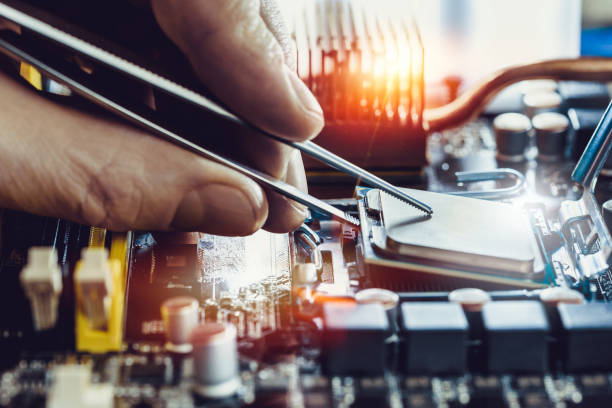
Kompiuteris sulėtėjo, nebeįsijungia ar rodo klaidas? Nesvarbu, ar tai namų kompiuteris, ar darbo įranga – kiekviena gedimo minutė kainuoja jūsų laiką ir nervus.
„TechRemontas” – tai patyrusi kompiuterių remonto komanda, teikianti greitas ir kokybiškas paslaugas visoje Lietuvoje. Per 15+ metų padėjome tūkstančiams klientų atgaivinti jų kompiuterius.
✅ Kodėl renkasi mus?
- Diagnostics – tiksliai nustatome gedimo priežastį
- Garantija darbams – dirbame kokybiškai ir atsakingai
- Skaidrios kainos – jokių paslėptų mokesčių
🔧 Ką remontuojame?
- Laptops Acer, Apple, Asus, Dell, Fujitsu, HP, Lenovo, MSI, Toshiba repairs
- Repair of desktop/desktop computers
- Tablets Acme, Asus, Blow, GoClever, HP, Huawei, Kiano, Lark, Lenovo, Modecom, Navroad, Nokia, Prestigio, Quer, Samsung, Toshiba
- Macbook computer repairs
- Apple, iMac correction
We provide both software and technical services. Dusting - upgrading cooling systems. Replacing broken screens. Repair wiped computers. Install operating systems. Re-solder various components, replace parts. Repair broken sockets. We carry out diagnostics before carrying out repairs.
If you are insured, we can issue a repair certificate to the insurance company.
- Vilnius – Kareivių g. 11A “RIMI” +370-655-77057
- Kaunas – Savanorių pr. 155 +370-639-69600
- Klaipėdoje – Sausio 15-osios g. 13 +370-647-07741
- Šiauliuose – Gegužių g. 30 “Arena” +370-682-29052
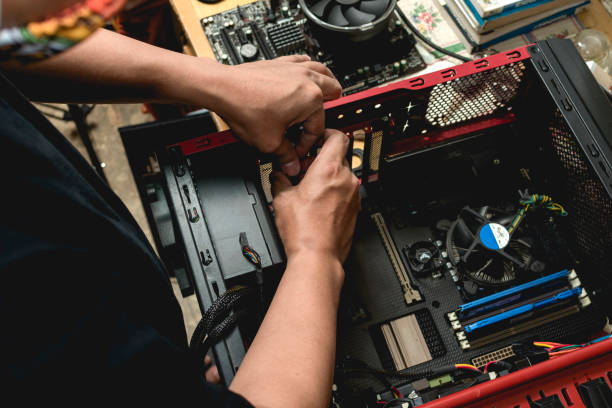
Computer repairs - the most common computer equipment failures
1. Keyboard keys do not work
This fault is caused by dust, dirt, spilled liquids, etc. on the keyboard. In addition, if the computer has not been used and has been left in a damp place (e.g. a basement), water condensation can also affect the keyboard buttons and cause malfunctions. Even if only a few keys are not working, the whole keyboard will have to be replaced. Only the keys that have fallen out can still sometimes be put back in, although often the attachment is worn out and the whole keyboard still needs to be replaced. If the whole keyboard suddenly stops working, it could also be a motherboard fault.
2. Pelės rodyklė atsitiktinai šokinėja po ekraną
Nešiojamuose kompiuteriuose tai gali sukelti sugedusi jutiminė pelė (touchpad). Tokiu atveju reikia jį pakeisti. Šį gedimą sukelia panašios priežastys kaip ir klaviatūros gedimus. Gedimus sukelia dulkės, nešvarumai, drėgmė. Aplink jutiminę pelę yra labai maža anga pro kuria gali įtekėti skysčiai ir sugadinti touchpado valdymo plokštę. Be to, šį gedimą gali sukelti ir per didelė jutiminės pelės spaudimo jėga.
3. A distorted image of the computer screen appears
This can be either physical cracks or simply displaying an obviously distorted image. It can also be lines across the screen. This can be caused by a failure of the video card (chip). If the computer displays the same (distorted) image when connected to an external display, this is likely to be the case.
Most screen damage is physically caused by users, whether the computer is dropped, accidentally stepped on, or the screen is grabbed by the edge when lifting the laptop instead of when it is lifted off the ground. It is also common to forget something on the keyboard and then close the laptop screen.
4. Video card faults
A video card, also known as a graphics card, is used to create an image on a screen. This can be a laptop screen, a computer monitor or the screen of a connected TV set.
The image may be distorted due to a malfunction of the display or video card. There are several ways to distinguish between them. Distortion caused by video card failure is more like vertical bars (sometimes horizontal). In the case of a video card failure, the keyboard and mouse may also be unresponsive. An external display connected to the computer will not display anything.
To fix this problem, you will need to replace the motherboard. Most newer laptops have their video cards built into the motherboard, which makes fixing it more complicated. In this case, the video card chip is re-soldered.
Why do video cards fail? Video cards typically last 3-6 years. Dust and dirt build up inside the card prevents the chip from cooling down properly, causing the card to fail if it overheats. Intensive gaming can also put a lot more strain on your computer and shorten its life.
5. Sounds coming from the fan
Most computers use a fan system to maintain the correct operating temperature. This prevents overheating, which can damage the computer hardware.
Fans are almost never quiet, and you will always hear a very low rotor hum when you turn on your PC. But when it starts to make unusual rubbing and rattling noises, you'll know the fan has worn out. Then they need to be replaced.
Overheating can lead to more serious damage, which can be much more costly than replacing the fan. So if you find that your fan is not working properly, it is a good idea to have your computer repaired right away. This will save you money that you could spend on fixing more serious overheating problems.
6. Battery does not charge / does not last long
Batteries typically last only 2-4 years. If you've had your laptop for around that long, it's very likely that the battery is getting low if it doesn't hold a charge for a long time.
Batteries are consumable parts, and every battery eventually wears out and needs to be replaced. AA, AAA batteries, car batteries, phone batteries, GPS batteries and your laptop batteries will eventually wear out and fail.
7. Static sounds from the laptop speaker
Unusual sounds from the speaker are a sign that it is broken. For example, static sounds or distorted sounds. This could be due to damage caused by fluids. To check, try connecting external speakers or headphones.
8. Viruses
This manifests itself in unexpected pop-up adverts that annoy. Or you may notice a change in your browser's home page. Computer viruses can do malicious things like steal passwords or data, corrupt files and even take over your system. So it is a good idea to install a reliable antivirus and security software to prevent the loss of personal data.
How do viruses get on your computer? Viruses usually come from the internet, usually through a malicious email attachment or website. Other sources of viruses include USB sticks and CDs, but nowadays most virus writers use the internet to spread viruses. Your computer can be infected with viruses instantly by simply visiting the wrong website, opening the wrong email attachment or opening the wrong file.
Having an anti-virus programme will certainly help to reduce the chances of contracting viruses, but there is no guarantee. The best antivirus program may just be you! Start learning about computer viruses. Be careful about opening an email that you are not expecting. Or if you come across something that looks suspicious.
9. Apple Macbook blacked out screen - a sign of motherboard failure
Panel problems are difficult to pinpoint. However, this particular problem is an accurate description of its failure. If you notice that your Apple Macbook Air or Macbook Pro has a very blurry and faint display, your computer's motherboard is faulty.
To understand why this happens, we can look at what determines the brightness of the screen. Back in 2007-2008, the LCD screens of Apple laptops were illuminated by a high-voltage inverter (voltage converter). Later, there was a switch to LED displays, which use low voltage. They no longer required an inverter. Instead, a logic board is used to illuminate the display. The display lights up directly from the logic board connector. If this connector or the surrounding circuitry is damaged, the display will stop illuminating. This will cause the display to be dimmed. To check if the display is dimmed or simply not showing any image, shine a flashlight on the display and look closely.
So if you notice that your Macbook Air or Macbook Pro screen is very dimly lit and you can't seem to brighten it, you may have a problem with your logic board. Motherboard failures can happen for a variety of reasons, most commonly due to fluid spills or burns.
10. "Dell Laptop Motherboard Faults
Another brand and model-specific identifier is the charger light on some models of Dell laptops. Some Dell laptops have charger lights that illuminate when it is plugged into an AC power source.
If you notice that the charger light goes out immediately after plugging in the charger and the laptop doesn't turn on at all, it's very likely that you have a problem with a faulty motherboard. In our experience, this is a common occurrence on Dell laptops with motherboard failures.
If you need computer repairs Vilniuje, Kaune, Klaipėdoje ar Šiauliuose contact us Contact and we will help you.