Vilnius · Kaunas · Klaipėda · Šiauliai

Navigation update: car maps and system

Navigation updates for factory car systems in Vilnius, Kaunas, Klaipėda and Šiauliai: we install new maps, fix freezing software and tell you the price before the work begins.

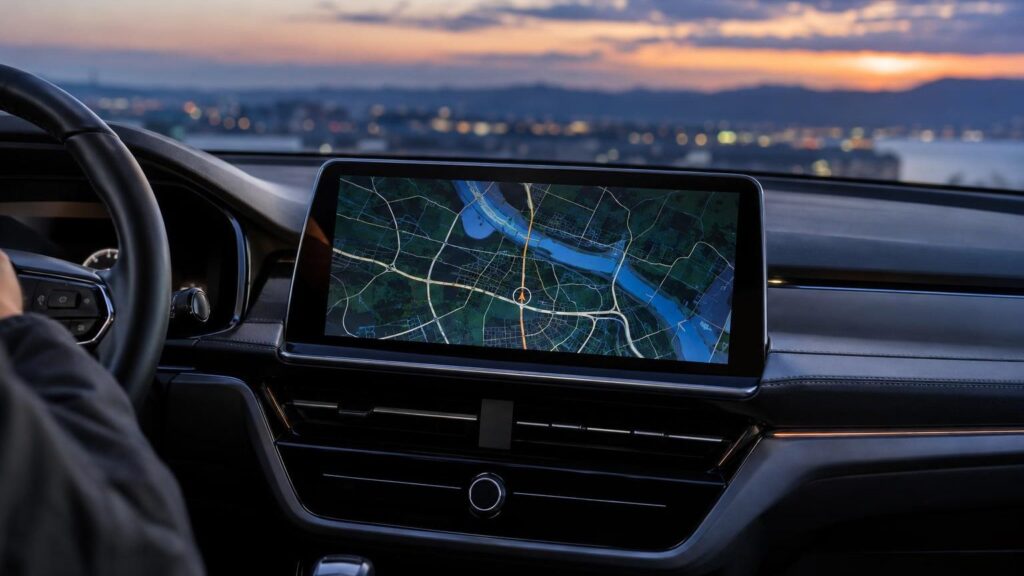
Car navigation screen with an updated road map

techremontas.lt Repair receipt

map update
from 49 €
initial diagnostics
€10
fault identification
1–2 days
service centers in different cities
4

Price agreed before repair · warranty on work

Which city is more convenient for you?

Vilnius

Kareivių g. 11A, Žirmūnai

„Rimi“ next to McDonald’s

Kaunas

Savanorių pr. 155, Žaliakalnis

Klaipėda

Sausio 15-osios g. 13

Next to „Avitela“

Šiauliai

Gegužių g. 30

PC „Arena“

  • Diagnostics within 1–2 days
  • Price agreed in advance
  • Mon–Fri 9–18
  • All contacts

The navigation update at our service is the installation of new maps and, if necessary, system software onto the navigation integrated in your car. If on the navigation screen your car appears to be driving across a field because a new bypass section does not yet exist on the map, or the system no longer recognizes the map card, bring in the car’s navigation unit or data storage device, and our technicians will tell you what suits your model. On this page you will find the most common problems, approximate prices, the process, and answers to the questions customers ask most often.

We work with systems of various brands – from BMW navigation to Toyota or Lexus. Not sure whether your case can be solved by an update at all, rather than a repair? You can call the nearest service point and describe what the screen shows. Often a few questions are enough to make clear what to do.

  • How much does a navigation update cost? Map updates start from 49 €. We give the exact price after diagnostics (10 €) and agree on it before starting work.
  • How long does it take? The fault or the right solution is determined within 1–2 business days. A simple map update is usually done the same day.
  • Which brands’ navigation systems do you update? We work with systems from BMW, Mercedes-Benz, Audi, Volkswagen, Toyota, Lexus and many other manufacturers. For a specific model, you can call us for advice.
  • Where can I bring my navigation? To our service points in Vilnius, Kaunas, Klaipėda and Šiauliai. We work Monday to Friday, 9:00–18:00, and are closed on weekends.

Navigation update or fault: what these signs mean

Not every “poorly working” navigation system needs maps alone. Below are the signs as customers most often describe them, and what usually lies behind them.

01from 49 €

Navigation shows old roads and non-existent streets

WhyMap data becomes outdated: new roundabouts, bypasses and one-way streets are not included. The factory system does not download maps by itself, so they remain as they were installed at the time of sale or at the last update.

Check it yourselfIn the system settings, look up the map version or date and write it down – it will help the technician a lot.

What we doWe check your system version, select a suitable map set and install it. If the system is outdated and does not accept new maps, we tell you right away.

02from 30 €

The system says “no map” or does not recognize the card

WhyMost often the map files are corrupted, the card is incompatible with the system, or authorization failed after the battery was disconnected. A rarer cause is a worn card slot.

Check it yourselfSwitch the ignition off and on again, and check that the card is fully inserted. Do not try to format the card on a phone or computer – this can lock the factory system completely.

What we doWe diagnose whether the file, the card or the system itself is at fault. We reinstall the maps or offer another solution.

03from 40 €

The update was interrupted or the navigation got stuck on updating

WhyThe power is cut off when updating with the engine off, or a file for the wrong model is downloaded. The system is then left half-updated and either no longer turns on or keeps restarting.

Check it yourselfDo not switch it off and do not try to repeat the update several times in a row – each attempt can make the situation worse. It is better to bring the car or the unit to a service point.

What we doWe restore the software and reinstall the maps. Before starting work, we tell you whether the system can be revived.

04from 80 €

Navigation takes a long time to find satellites or shows the wrong location

WhyThe antenna may be broken or damaged, a connector may be faulty, the GPS module may be malfunctioning, or there may be a foil stuck near the glass that blocks the signal. Sometimes the problem is an old software bug.

Check it yourselfDrive to an open area, away from tall buildings and underground parking lots, and wait a few minutes. Check that there is no metallized film on the windshield.

What we doWe check signal reception, the antenna and connectors, then determine whether a software update is enough or the module needs to be replaced.

05from 90 €

Navigation screen does not respond to touch

WhyA worn touch layer, moisture behind the screen, or a faulty control board. If only part of the screen responds, the touch sensor is usually to blame.

Check it yourselfWipe the screen with a soft, slightly damp cloth and check whether the physical control buttons or the rotary controller work.

What we doWe check whether the fault is in the touch sensor or the electronics. If it is worthwhile, we replace the touchscreen or repair the control part.

06from 40 €

Navigation restarts, freezes or turns off by itself

WhyMost often the culprits are software errors, a full memory buffer, a poor power connection or an overheated board. Sometimes the problem is triggered by an unsuccessful previous update.

Check for yourselfNote whether it happens on a hot day, when driving on a bumpy road or when a certain function is switched on, and tell the technician.

What we doWe run diagnostics, restore the software, or repair the unit if we find a hardware fault.

07from 25 €

Garmin or another portable navigation device won’t update

WhyThe most common causes: a faulty USB cable or connector, full memory, outdated software, or a device that no longer receives official updates. Sometimes the computer simply does not recognise the device.

Check for yourselfTry a different USB cable and a different port on the computer, and make sure the manufacturer’s update application is installed on the computer.

What we doWe check the device, the connector and the memory, and update the maps, or tell you that the model is too old and it is better to choose a different solution.

08from 25 €

Portable navigation device won’t charge or drains quickly

WhyAfter a few years the built-in battery wears out, and a worn charging socket is often to blame as well. In a hot car the battery ages even faster.

Check for yourselfTry a different car charger and cable. Do not open the battery or try to replace it yourself.

What we doWe check the charging, and replace the battery or connector if the device is worth it.

09

After a battery replacement, the navigation asks for a code or doesn’t work

WhyWhen the power is disconnected, some systems lose their authorisation or settings and ask for a code. The code is usually provided in the car’s documents or through a dealer.

Check for yourselfCheck whether the car’s manual or documents include a code card. Do not try to guess the code – after several wrong attempts the system may lock.

What we doWe help determine whether the problem can be solved with software. What exactly is possible depends on the make and model.
Navigation update price: how much it will cost

Below are indicative prices for the most common jobs; we give the exact amount after diagnostics.

Diagnostics

ServicePriceWarranty
Initial diagnostics10 €–

Maps and software

ServicePriceWarranty
Map update in a factory-installed navigation systemfrom 49 €–
Navigation software updatefrom 59 €–
Writing maps to an SD card or USBfrom 30 €–
Software restoration of a frozen systemfrom 40 €–

Portable navigation devices

ServicePriceWarranty
Garmin or other portable GPS updatefrom 25 €–
Portable GPS battery or charging socket replacementfrom 25 €–

Screen and electronics

ServicePriceWarranty
Navigation touchscreen replacementfrom 90 €–
Prices are indicative: we give the exact amount after diagnostics and agree on it before starting the repair.

What people get wrong about navigation updates

  • Myth. Maps update themselves when I connect to the internet. In fact. In many factory systems this is not the case. The map package has to be installed separately, and for some systems it is no longer released at all.
  • Myth. An update will also change the old features, so it is better not to touch anything. In fact. Usually only the map data is updated, not the whole system. The interface will stay the same, only the streets will be more up to date.
  • Myth. Any map file from the internet can be loaded onto any navigation device. In fact. The file must match the make, model and system version. An unsuitable file may not work or may lock the system.
  • Myth. If the navigation makes mistakes, the GPS is broken. In fact. Errors are more often caused by outdated maps than by a fault. A hardware problem only becomes clear after an inspection.

Is it worth updating your car navigation if you have Google Maps on your phone

A phone is perfectly suitable for everyday trips, but factory navigation has advantages: it shows the route on the instrument cluster, works without mobile coverage and doesn’t drain your phone’s battery. Abroad, in the mountains or in forested areas the signal drops out, while the integrated system keeps working. This is worth remembering if you often drive long distances.

On the other hand, if your system’s maps are a decade old and the manufacturer no longer releases them, the update may cost more than the benefit it brings. In that case it is wiser to use a phone or a separate navigation device. For comparison, you can read about the best car navigation devices and the differences between Waze and Google Maps.

  • An update is worthwhile when the system still receives map packages for your model.
  • When trips are frequent and long, and phone coverage is unreliable.
  • When the factory system is integrated with the camera, audio or instrument cluster.
  • It isn’t worth it when the update price approaches the price of a new portable navigation device.

Before you come in, write down your car’s make, model, year of manufacture and the system’s map version – then we can estimate the price almost immediately.

A technician updating car navigation maps at the service center

Which brands’ navigation systems we update, and what we cannot promise

We work with systems from brands such as Audi, Volkswagen, Mercedes-Benz, Toyota and Lexus, as well as other manufacturers. For other brands, such as Alfa Romeo, Opel, Peugeot, Renault, Kia or Hyundai, the website has separate pages.

We have to be honest: not every system has a new map set available. Very old-generation systems sometimes no longer have one, and some require a code or a specific software version. That is why we first find out what is possible for your model, and only then offer a price.

If the car was imported from abroad, the maps may be for other regions (for example, the USA or Japan). Tell us this right away – it changes what can be installed.

How to update navigation yourself and when it is better to bring it to a technician

Many manufacturers let you download maps from their website to a USB drive or SD card, and for portable devices such as Garmin, via a computer program. If you have the opportunity and enough patience, you can give it a try. The most important thing is to read the instructions and use the file made specifically for your model.

It is worth bringing it to a technician when the update fails, the system does not recognize the card, asks for a code, or the map downloads but is not accepted. A do-it-yourself attempt with the wrong file sometimes locks up the system, and that is a repair job, not an update. You can get advice by calling the service center.

  • Use only files intended for your make and model.
  • While updating, keep the engine running or connect additional power so the battery does not drain.
  • Do not interrupt the process while progress is shown on the screen.
  • If the error keeps recurring, do not try again – bring the system in for inspection.

Choose a quiet time for the update – say, when the car is parked at home rather than on the way to work. A process that takes half an hour must not be interrupted.

What to bring to the service center for a navigation update

  • Write down the car’s make, model and year of manufacture, or photograph the document.
  • The SD card or USB drive with maps, if your system uses one.
  • The navigation code or code card, if you have one.
  • For portable navigation, the charger and USB cable.
  • A note on when and how the problem appeared and whether you have tried updating it yourself.
  • The map version, if you can see it in the system settings.

How a navigation update works with us

  1. You come in or call. Visit the nearest service center in Vilnius, Kaunas, Klaipėda or Šiauliai. If you are unsure, you can call first to get advice and describe the situation.
  2. Diagnostics. Technicians inspect the system and determine whether only maps are needed or there is a fault. Initial diagnostics costs 10 €, and you will know the result within 1–2 business days.
  3. We agree on the price and timeframe. We tell you what we find, how much it will cost and how long it will take. We do nothing without your consent.
  4. Update or repair. We install the maps, restore the software or repair the faulty part. A simple map update is usually done the same day.
  5. You pick it up with a warranty. You collect your navigation, we check together that everything works, and you receive a warranty for the work performed.

Navigation update by car brand

Choose a make – you will find which navigation systems of that make we update and what is worth knowing before you come.

What else people ask about navigation updates

Can a navigation update be free?

Some manufacturers occasionally offer free updates for certain models or for a certain period after the car is purchased, but most often it depends on the brand and age. At our service center, an update is a paid service, and we tell you the price in advance.

How can I update my car’s navigation myself?

Most often you need to find the map set for your model on the manufacturer’s website, download it to a USB drive or SD card and start the update in the car. The exact steps vary by brand, so first read the car’s manual.

Do you update Garmin and other portable navigation devices?

Yes, we also inspect portable navigation devices if they still receive map updates. If the model is too old, we tell you after the inspection rather than selling you an unnecessary service.

Do you update navigation in Alytus, Marijampolė or Panevėžys?

We do not have service centers in these cities.

How much does a navigation update for BMW or another brand cost?

Map updates start from 49 €, but the exact price depends on the model, year and system version. For a specific brand, you can call for advice or bring your car’s details to the service center.

Is it possible to update navigation if the car has not been updated for a long time?

Most often yes, but after many years the software itself may also need updating, which costs more. For some older models, new sets are no longer available.

Broken device?

Give us a call – we will tell you what we can do and how long it will take.

Call Find a service point