Vilnius · Kaunas · Klaipėda · Šiauliai

Hyundai navigation: car navigation update

Car navigation update for Hyundai: USB maps for newer models and „Turn by Turn“ CDs for older ones. We provide a 12-month warranty on updated maps.

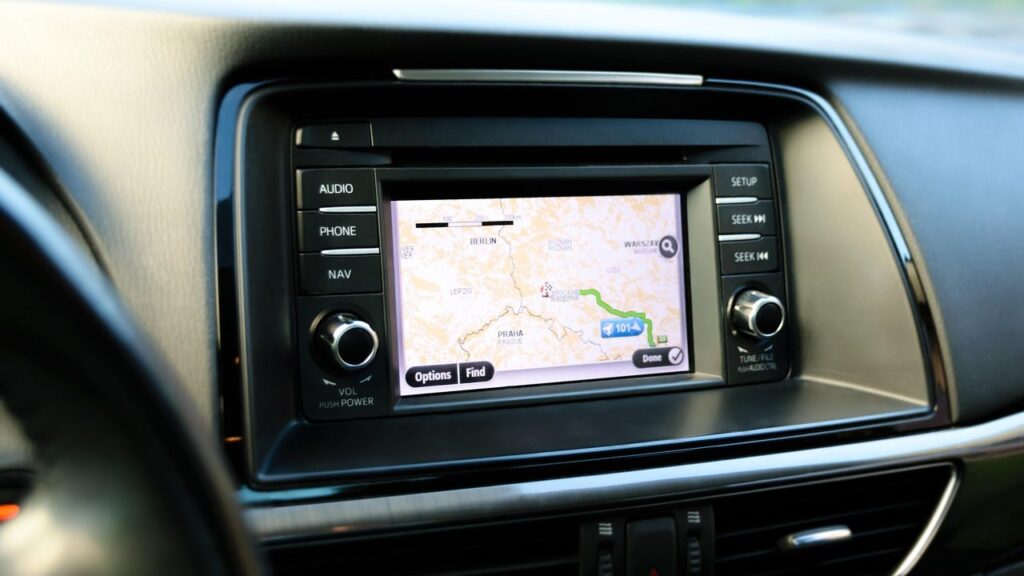
Alfa Romeo car navigation screen with a map

techremontas.lt Repair receipt

map warranty
12 months
initial diagnostics
€10
fault identification
1–2 days
we update maps in Vilnius and Kaunas
2 cities

Price agreed before repair · warranty on work

Which city is more convenient for you?

Vilnius

Kareivių g. 11A, Žirmūnai

„Rimi“ next to McDonald’s

Kaunas

Savanorių pr. 155, Žaliakalnis

Klaipėda

Sausio 15-osios g. 13

Next to „Avitela“

Šiauliai

Gegužių g. 30

PC „Arena“

  • Diagnostics within 1–2 days
  • Price agreed in advance
  • Mon–Fri 9–18
  • All contacts

Car navigation update for Hyundai vehicles is one of our services. On this page you will find which Hyundai navigation versions we update, how to tell that your map is outdated, and what to bring with you. For general information about maps for all brands, see the page navigation map update.

Hyundai maps come in two formats: a USB drive (newer models) and a „Turn by Turn” CD set (cars up to 2010). First you need to determine which system you have, so you can call us for advice before you come.

  • Which Hyundai models do you update? USB maps: i35 from 2009, Santa Fe and i20 from 2010, i40 and Veloster from 2011. „Turn by Turn” CD – various Hyundai models up to 2010.
  • What warranty do the maps have? We provide a 12-month warranty for Hyundai navigation maps.
  • How much does the update cost? We will give you the exact price based on your model and map version. If fault diagnostics are needed, they cost 10 €.
  • Where do you update? We update Hyundai maps in Vilnius and Kaunas. We work Mon–Fri 9:00–18:00, closed at weekends.
What these Hyundai navigation symptoms mean

Below are common symptoms people come to us with regarding navigation. Some of them are solved by a new map set.

01from 45 €

The navigation does not know new roads and roundabouts

WhyThe map was installed several years ago and has not been updated. This is not a fault, but outdated data.

Check yourselfFind the map version information in the menu and tell it to the technician.

What we doWe install the suitable map set for your model.

02from €40

The navigation does not detect the USB drive

WhyThe drive may be damaged, the file format may be unsuitable, or the system software may be outdated.

Check yourselfTry another port, if there is one, and do not remove the drive while the system is running.

What we doWe check the drive and the system and reinstall the maps.

03from 40 €

The CD navigation does not read the disc

WhyMost often it is a worn-out reader or a scratched disc.

Check yourselfCheck that the disc is clean and free of scratches.

What we doWe diagnose the reader and, if necessary, repair or replace the disc set.

04from 35 €

The navigation shows the wrong location

WhyThe cause may be a GPS signal problem, outdated data or a system error.

Check yourselfDrive to an open area and wait a few minutes for the system to find satellites.

What we doWe check whether the problem is software-related or related to the receiver.

05

It asks for a code after the update

WhySome systems ask for a PIN code after the maps are changed or the battery is disconnected.

Check yourselfFind the car documents or a card on which the code may be written.

What we doPlease tell us in advance whether the code is known.

06from 10 €

The map of the required country is missing

WhySets of different versions cover different countries.

What we doWe select an option with the required countries or supplement the existing one.

How much does a Hyundai navigation update cost

Map updates and navigation-related work are priced according to the system type; indicative prices are listed below.

Map update

ServicePriceWarranty
Hyundai USB maps (i35, Santa Fe, i20, i40, Veloster)from 45 €12 mo.
„Turn by Turn” CD maps (Hyundai up to 2010)from 40 €12 mo.
Installing additional country mapsfrom 10 €12 mo.

Faults and software

ServicePriceWarranty
Fixing navigation software errorsfrom 35 €–
Checking and repairing a CD or USB device that won’t readfrom 40 €–
Prices are indicative: we agree on the exact amount after diagnostics, before starting work.

What people get wrong about Hyundai maps

  • Myth. If the navigation works, there is no need to update the map. In reality. The navigation may work perfectly but still show an old road network. The age of the map and the condition of the system are different things.
  • Myth. One map set fits all Hyundai cars. In reality. Versions depend on the model and year of manufacture, so the first step is to determine which system is installed.
  • Myth. Updating the maps also fixes system faults. In reality. Maps only change the data. If the screen, reader or GPS receiver is causing problems, diagnostics are needed.

How to tell that your Hyundai map is out of date

The simplest sign is when the navigation routes you through a place where a roundabout already stands or a new section of motorway has been built. Another sign is that new streets are not recognised and traffic management changes are not reflected.

In older systems the map does not update by itself, so over time the differences become more and more noticeable. This is not a fault; the data simply stopped at the moment it was installed.

  • the car drives across a „field” even though the road already exists
  • new streets or addresses are not found
  • incorrect restrictions and turn instructions

If you don’t know which system is installed, take a photo of the navigation menu and the home screen – this will help the technician identify the version faster.

A technician updates the car's navigation maps

Is it worth updating an old Hyundai navigation

If the car’s multimedia system works and only new roads are missing, updating the maps is usually a smarter choice than buying an additional navigation device or replacing the entire head unit. The map sets cover Lithuania (in detail) and most of Europe.

However, if the screen does not respond or the system keeps rebooting, maps alone are not enough. In that case diagnostics come first, and we will decide on further steps together with you.

What to bring so you don’t have to come back a second time

  • the car model and year of manufacture
  • your USB drive or CD, if you have them
  • the PIN code, if the system asks for it
  • a note on when and how the problem appeared
  • a photo or note of the map version

How a Hyundai navigation update works at our service

  1. Get advice or visit us. Call or drop by our service point in Vilnius or Kaunas and tell us the model and year of manufacture.
  2. We identify the system. The technician determines whether USB or „Turn by Turn” CD maps are suitable for your car.
  3. Diagnostics, if needed. If a fault is suspected, we carry out diagnostics (10 €) and identify the fault within 1–2 business days.
  4. We agree on the price and deadline. We start work only with your consent, and there are no hidden fees.
  5. You collect it with a warranty. We provide a 12-month warranty on the maps.

Frequently asked questions about Hyundai navigation updates

Is the navigation update free?

At our service, the map update is paid, and the price depends on the model and version. Check with a Hyundai representative whether the manufacturer offers a free update for your model.

How do I update my car’s navigation?

For newer models the maps are written to a USB drive, while older ones use a „Turn by Turn” CD set. Call us, tell us the model and year, and we will suggest a suitable option.

Do Google Maps or Waze replace a car’s built-in navigation?

Phone apps are convenient, but they depend on a connection. You can find a comparison in the article about Waze and Google Maps.

Do you also update maps of other countries?

Yes, the packages include many European countries, among them Germany, Poland, Latvia, Estonia, France, Italy and the Scandinavian countries. The exact list depends on your system version.

Other car brands

🚗 Professional navigation map updates – prices, process and service points

Broken device?

Give us a call – we will tell you what we can do and how long it will take.

Call Find a service point