Vilnius · Kaunas · Klaipėda · Šiauliai

MINI navigation map update

MINI navigation map update: 13 CD sets from Lithuania to Spain, 12-month warranty. We update in Vilnius and Kaunas.

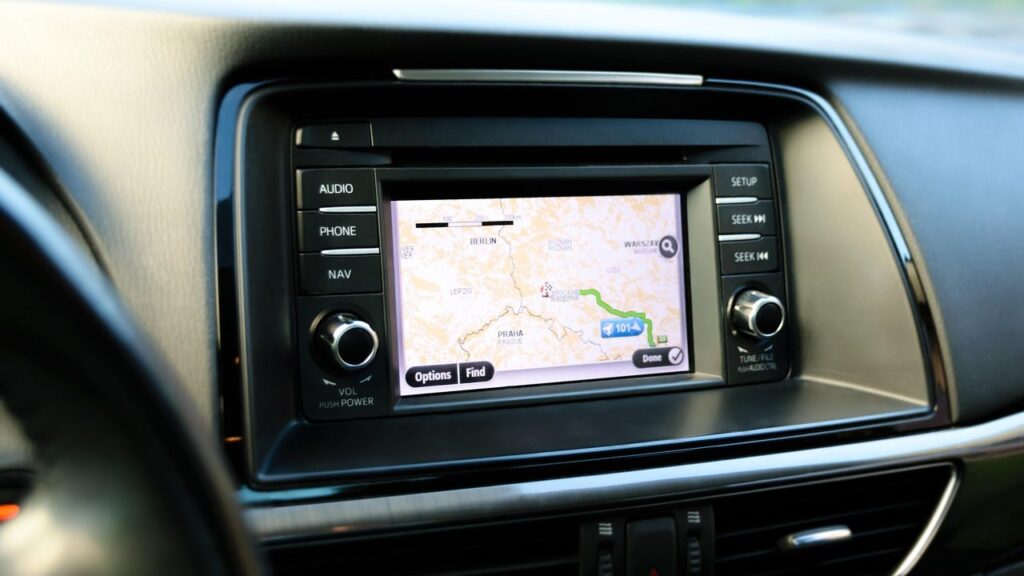
Alfa Romeo car navigation screen with a map

techremontas.lt Repair receipt

diagnostics
10 €
warranty on maps
12 mo.
update in Vilnius and Kaunas
2 cities
map of Lithuania (CD 3)
detailed

Price agreed before repair · warranty on work

Which city is more convenient for you?

Vilnius

Kareivių g. 11A, Žirmūnai

„Rimi“ next to McDonald’s

Kaunas

Savanorių pr. 155, Žaliakalnis

Klaipėda

Sausio 15-osios g. 13

Next to „Avitela“

Šiauliai

Gegužių g. 30

PC „Arena“

  • Diagnostics within 1–2 days
  • Price agreed in advance
  • Mon–Fri 9–18
  • All contacts

The MINI navigation map update is intended for drivers whose built-in system shows an outdated road network. We update maps for MINI models with a colour screen up to October 2005, except E60–E64. On this page you will find which map sets are available, how to recognise outdated data and what to bring.

You can find general information about systems of other brands on the main navigation update page.

  • Which MINI models is the update suitable for? MINI models with a colour screen up to October 2005, except E60–E64.
  • Which maps are available? 13 CDs: from the Benelux and Scandinavia to Spain, Portugal, England and Eastern Europe with detailed Lithuania.
  • What warranty is provided? We provide a 12-month warranty for map updates.
  • Where can it be updated? Vilnius and Kaunas are listed for this update. You can call us before you come to discuss it.
What these MINI navigation symptoms mean

These are the complaints we hear most often. Most of them are solved with a new map set, but we first check whether the disc or the reader is at fault.

01

The navigation does not know new roads and roundabouts

WhyMap data becomes outdated: over a few years new junctions appear and traffic arrangements change. The system still shows an old road even though it has long since disappeared.

Check it yourselfCompare the route with a map on your phone and mark the places where the system is wrong.

What we doWe install a newer map set for the required region and check that the system recognises it.

0210 €

Why navigation is not working – it shows „no disc”

WhyThe disc may be scratched, dirty or of the wrong region. Sometimes the reader’s lens itself malfunctions.

Check it yourselfTake out the disc, wipe it with a soft cloth from the centre to the edges and insert it again.

What we doWe check the disc and the reader. If the disc is at fault, we replace it with a new set.

03

Navigation does not show Lithuania or Eastern Europe

WhyThe wrong region has been inserted into the system, for example a Western Europe disc. Lithuania is in the CD 3 set together with Estonia and Latvia.

Check for yourselfLook at which region is indicated on the disc.

What we doWe select the required set and check the route calculation.

04

No map of the country before a trip abroad

WhyOne disc covers only a few countries. For example, Poland and the Czech Republic are on CD 4, while Germany is on CD 7.

What we doWe help you choose discs based on your route, so that you don’t pay for ones you don’t need.

0510 €

The system takes a long time to load or freezes

WhyThe cause may be an old disc or one that is read with errors, or wear of the reader.

Check for yourselfTry another disc if you have one. If the problem repeats with it too, the problem is probably not the disc.

What we doWe run diagnostics, determine what is slowing the system down, and tell you whether repair is worthwhile.

06

Navigation shows the wrong location

WhyThe GPS signal may be disrupted or the data may be outdated.

Check for yourselfDrive to an open area and wait a few minutes until the system finds the satellites.

What we doWe check the map data and GPS reception, and assess whether a repair is needed or an update is enough.

How much a MINI map update costs

The price depends on the region, the model and whether the system reads the disc, so we give it after diagnostics.

Diagnostics

ServicePriceWarranty
Initial diagnostics10 €–

Maps

ServicePriceWarranty
Map set update (selected region)after diagnostics12 mo.

Map sets

ServicePriceWarranty
Lithuania and Eastern Europe map set (CD 3)from 40 €12 mo.
Multi-region set for a long tripfrom 70 €12 mo.

Verification

ServicePriceWarranty
Disc and reader checkfrom 25 €–
We agree on the exact amount and deadline before starting work, and we repair only with your consent. There are no hidden fees.

What people get confused about regarding MINI maps

  • Myth. Navigation maps only need to be updated every ten years. In fact. Roads change constantly. After a few years, the system may not know about new junctions and roundabouts, and so it makes mistakes.
  • Myth. One disc is suitable for all of Europe. In fact. Maps are divided into regions. Lithuania is on CD 3 with Estonia and Latvia, Germany is on CD 7, and France is split across two discs.
  • Myth. If reading fails, the entire navigation system has to be replaced. In fact. Before replacing anything, it is worth checking the disc and the reader. Sometimes the problem is not in the system itself.

Which maps are available for the MINI system

Maps are divided by region, so you order only what you need. For most drivers the Lithuania set is enough, and for trips abroad additional regions are added.

Main sets:

  • CD 3: Estonia, Latvia and Lithuania (detailed)
  • CD 4: Poland, the Czech Republic, Slovakia, Hungary, Romania, Bulgaria, Croatia, Slovenia
  • CD 7: Germany; CD 2: Austria, Switzerland, southern Germany, northern Italy
  • CD 5 and 6: France; CD 8: Italy and Greece; CD 9: Scandinavia
  • CD 1, 10, 11, 12: Benelux, Spain, Portugal, Great Britain and Ireland; CD 13: main European roads

Before a trip through several countries, look at your route and choose only the discs you need – this way you will save money.

Map discs for Land Rover navigation on the technician's workbench

How to tell that a map is out of date

The first sign is that the system tells you to turn where there is no longer a road, or does not know a new roundabout. The second is that new settlements and points of interest are missing, and the route is longer than on your phone.

If this keeps happening and the disc is not damaged, you most likely need a newer set. If the system does not read the disc, we first check the disc and the reader.

What to bring so the update goes smoothly

  • The car or the navigation unit, if it can be removed
  • Any map CDs or discs you have, even if they are damaged or old
  • The car’s year of manufacture and exact model
  • The navigation code (PIN), if it was issued with the car
  • A short note on when you noticed that the map was out of date or the system stopped working

How a MINI navigation update works

  1. Call or drop by. Tell us the car’s year and model. You can come straight to your nearest service point. Service points are open Mon–Fri 9:00–18:00 and closed at weekends.
  2. Diagnostics. The initial diagnostics cost 10 €, and we identify the fault within 1–2 business days.
  3. Matching. We tell you which region’s maps you need, how much it will cost and how long it will take.
  4. Update. We carry out the work only with your consent.
  5. Pick-up. The work comes with a warranty; map updates come with a 12-month warranty.

A few more questions about MINI navigation

Why is my MINI navigation not working?

The cause may be an unreadable CD, a dirty disc or an outdated map set. If the screen is completely dark or the system does not respond, diagnostics are needed, which cost 10 €.

Can I use the navigation without the internet?

Yes. The system in these MINI cars reads maps from a disc, so no internet is needed.

Will the system have Lithuanian names?

The map of Lithuania (CD 3) is provided in detail together with Estonia and Latvia. The menu language depends on your system version, which we will check when we look at the car.

Is it worth buying a new navigation unit instead of updating?

If you like the built-in system, updating the maps is usually cheaper than replacing the equipment. You will find a comparison in our article about car navigation systems.

Other car brands

🚗 Professional navigation map updates – prices, process and service points

Broken device?

Give us a call – we will tell you what we can do and how long it will take.

Call Find a service point