Vilnius · Kaunas · Klaipėda · Šiauliai

Mazda navigation map update

Mazda navigation maps become outdated over time: new roads and roundabouts may not appear in the navigation. We update the maps of Denso, Multi-model and Connect SD systems in Vilnius and Kaunas, with a 12-month warranty.

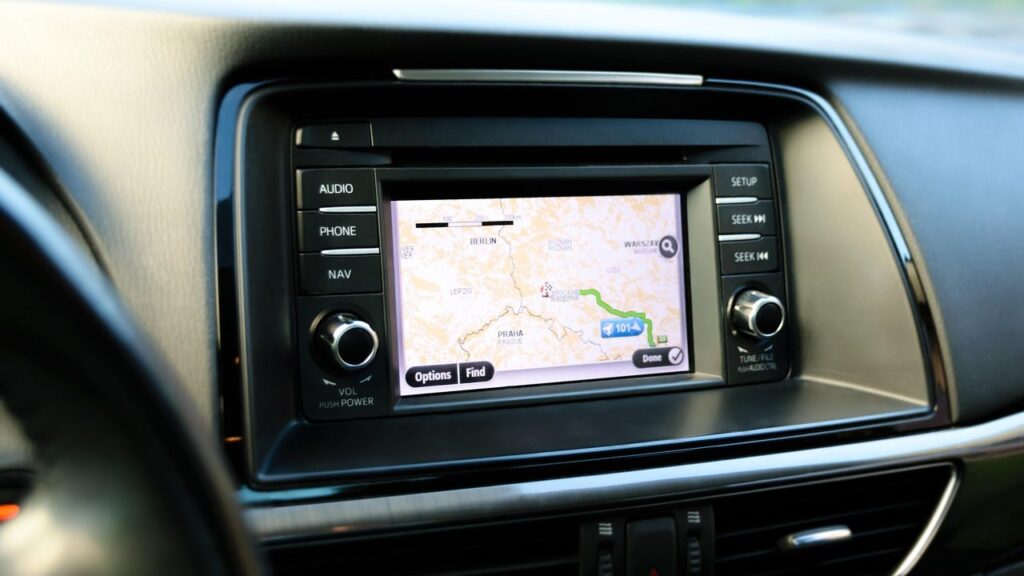
Alfa Romeo car navigation screen with a map

techremontas.lt Repair receipt

map update warranty
12 mo.
Denso, Multi-model, Connect SD
3 systems
map updates: Vilnius, Kaunas
2 cities
initial diagnostics
€10

Price agreed before repair · warranty on work

Which city is more convenient for you?

Vilnius

Kareivių g. 11A, Žirmūnai

„Rimi“ next to McDonald’s

Kaunas

Savanorių pr. 155, Žaliakalnis

Klaipėda

Sausio 15-osios g. 13

Next to „Avitela“

Šiauliai

Gegužių g. 30

PC „Arena“

  • Diagnostics within 1–2 days
  • Price agreed in advance
  • Mon–Fri 9–18
  • All contacts

If you are looking for where to update your Mazda navigation maps, below you will find which version suits which model. We update maps for three types of Mazda systems: Denso (Mazda 3, 5, 6, RX-8, CX-7, CX-9), Multi-model Navigation with an SD card, and the newer Connect SD.

This is one of the areas of our general navigation updates. Lithuania is shown in detail on the third Denso disc (CD 3), as well as in the Multi-model and Connect SD maps; you will find the list of countries for each version below.

  • How much does the update cost? We quote the price based on your system and agree on it in advance, before the work. The initial diagnostics cost 10 €.
  • What warranty is provided? We provide a 12-month warranty for map updates.
  • Which models do you update? Denso (3, 5, 6, RX-8, CX-7, CX-9), Multi-model (2010–2014 with SD) and Connect SD (2, 3, 6, MX-5, CX-3, CX-5, CX-9) – depending on the year.
  • Where do you perform updates? Map updates with a 12-month warranty are available in Vilnius and Kaunas. You can come to the service point or call in advance.
How to tell that your Mazda map is outdated

Often the cause is not a fault but old data. Here are the symptoms worth paying attention to.

01

The navigation shows that I am driving across a field

WhyThe map was created before a new road, roundabout or motorway section was built. In older systems, the data does not update by itself.

Check yourselfCheck the map version in the system settings.

What we doWe install a new map version for your system.

02

Mazda navigation update – which version is right for me

WhyDifferent models use different systems: Denso, Multi-model or Connect SD. A map from another system will not work.

Check yourselfWrite down the model, year of manufacture and whether the navigation works with an SD card.

What we doBased on the model and year, we determine the correct version, so you don’t have to try at random.

03

Navigation does not detect the SD card

WhyThe card may be damaged, an unsuitable file may have been written to it, or the system does not accept data from another version.

Check yourselfWith the engine off, remove and reinsert the card, and check whether there is any dirt on the contacts.

What we doWe check the card and either rewrite the map from scratch or tell you what to do next.

04

It shows another country, and there is no map of Lithuania

WhyIn Denso systems, Lithuania is on the third disc (CD 3). CD 1 covers Western European countries, while CD 2 covers Germany, Italy, Scandinavia, etc.; Lithuania is not included in them.

What we doWe check which disc or map version is being used and select the option with detailed coverage of Lithuania.

0510 €

Why the navigation does not work

WhyThere are various causes: a corrupted map file, the wrong version, a weak GPS signal or a device fault.

Check it yourselfTry it outdoors in an open area, not in an underground car park.

What we doWe run diagnostics and tell you whether the map or the hardware is at fault.

How much does a Mazda navigation update cost

The price of a map update depends on the system and model, so we tell you it in advance.

Diagnostics

ServicePriceWarranty
Initial diagnostics10 €–

Map update

ServicePriceWarranty
Denso system map updatedepending on the system12 mo.
Multi-model Navigation (SD card)depending on the system12 mo.
Connect SD map updatedepending on the system12 mo.

Troubleshooting

ServicePriceWarranty
Rewriting the map after an errorfrom 35 €–
Initial diagnostics cost 10 € for all devices. We tell you the map update price and agree on it in advance, with no hidden fees.

What people get wrong about Mazda maps

  • Myth. The navigation will update itself as soon as it connects to the internet. In fact. Many older Mazda systems work without the internet, so the map has to be updated manually.
  • Myth. Any SD card with a map from the internet will work. In fact. The map must match your system type and year, otherwise the navigation will not accept it.
  • Myth. An old map is only slightly inaccurate, so it doesn’t matter. In fact. New roundabouts, overpasses or one-way streets can cause wrong directions and an unnecessary trip.

Which Mazda models the versions are for

The version is determined by the system and the year of manufacture, so first you need to know whether your Mazda uses Denso discs, an SD card with Multi-model Navigation, or Connect SD. Below, the models are listed as they are assigned to each system.

Multi-model Navigation is intended for 2010–2014 Mazda cars with an SD card.

  • Denso: Mazda 3 and RX-8 from 2005/09, Mazda 5, Mazda 6 from 2007, new Mazda 6 from 2008
  • Denso (separate map): Mazda CX-7 and CX-9
  • Multi-model Navigation: 2010–2014 Mazda with an SD card
  • Connect SD: Mazda 2 from 2014.11, Mazda 3 from 2013.10, Mazda 3 Facelift from 2017.02
  • Connect SD: Mazda 6 from 2016.02, Mazda 6 Facelift from 2017.02
  • Connect SD: MX-5 Miata from 2015.04, MX-5 RF from 2016.10
  • Connect SD: CX-3 from 2015.04, CX-3 Facelift from 2017.02, CX-5 from 2015.02, CX-5 II from 2017.01, CX-9 from 2016.07

If you are not sure about your system, you can call in advance and tell us the model and year. For map updates at the Klaipėda and Šiauliai service points, please inquire by phone.

SD card with navigation maps for a car

Which countries the maps cover

The Denso map is divided into three discs. CD 1 covers Ireland, Great Britain, Spain, Portugal, France, Andorra, Monaco and Gibraltar. CD 2 covers Germany, Austria, Italy, the Benelux countries, Scandinavia, Switzerland, etc.

Lithuania (detailed map) is on CD 3 together with Latvia, Estonia, Poland, Belarus, Ukraine, the Balkan countries, Turkey, etc. Lithuania is not in the CD 1 and CD 2 lists. In the CX-7 and CX-9 map, Lithuania is also detailed, while in the Multi-model and Connect SD versions the list of countries is broader and Lithuania is included in detail.

Is it worth updating an old Mazda map

If you often drive to unfamiliar places or around Lithuania, an update will come in handy. The road network changes, and an outdated map can mislead you.

If you don’t want to buy a new navigation system, an update is the simplest way. You can use the map on your phone as an additional one, for example a map without internet, but the built-in system is more convenient when driving.

What to bring for the update

  • The car model and year of manufacture
  • The SD card (if your system uses one)
  • A note on when the map started giving incorrect information
  • A phone number where we can reach you

How a Mazda map update works

  1. Get in touch. You can visit the nearest service point, or call ahead and tell us the model and year.
  2. We identify the system. We check whether it is Denso, Multi-model or Connect SD, and select the right version.
  3. We agree on the price. We tell you the price and turnaround time, and we only proceed with your consent.
  4. We update the map. We install the new map and check that the system recognizes it.
  5. You collect it with a warranty. You collect the card or the car; the map update comes with a 12-month warranty.

Frequently asked questions about Mazda navigation

Does Mazda navigation work without internet?

Yes, the built-in system uses a stored map (a disc or an SD card), so an internet connection is not required. That is also why updates have to be done manually.

Can I use Google Maps instead of updating?

It can be used as an additional tool, but it requires internet or previously downloaded data. You can read about the differences in the article about Waze and Google Maps.

Can the map be updated for free?

Free options are often not original or not suitable for your system. Our update is paid, but the map update comes with a 12-month warranty.

Is Lithuania shown in Lithuanian?

In the maps, Lithuania is included as a detailed map. The interface language depends on your system settings and model.

What should I do if I don’t know which system I have?

Tell us the model and year by phone or at the service point. Based on that, we will determine whether it is Denso, Multi-model or Connect SD.

Other car brands

🚗 Professional navigation map updates – prices, process and service points

Broken device?

Give us a call – we will tell you what we can do and how long it will take.

Call Find a service point