Vilnius · Kaunas · Klaipėda · Šiauliai

Škoda car navigation map update

Car navigation map update for Škoda: for RNS Trinax Columbus, Amundsen, Amundsen+ and Nexus DX systems. We provide a 12-month warranty.

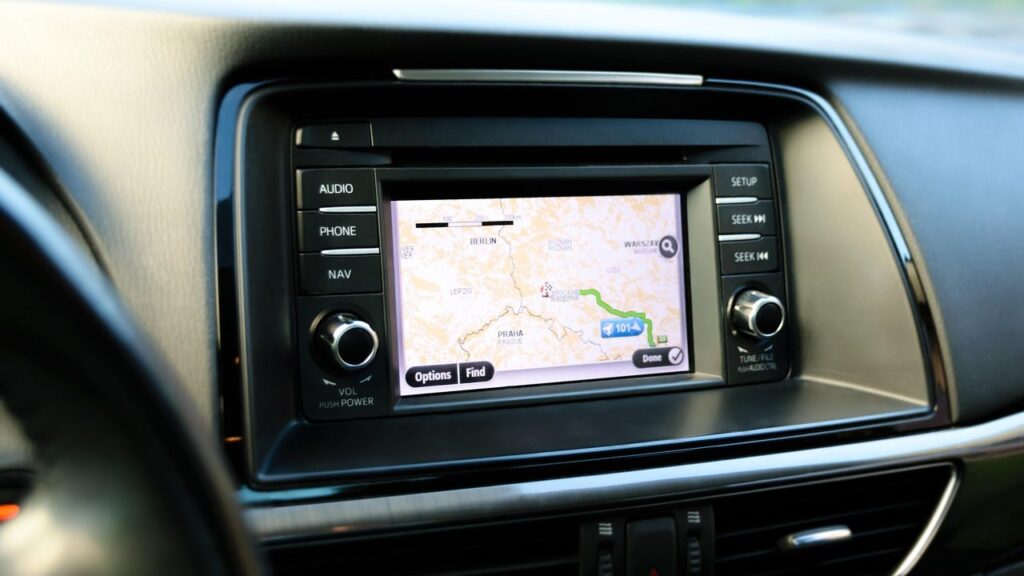
Alfa Romeo car navigation screen with a map

techremontas.lt Repair receipt

warranty on map updates
12 months
we update in Vilnius and Kaunas
2 cities
of Škoda navigation systems
4 types
initial diagnostics
€10

Price agreed before repair · warranty on work

Which city is more convenient for you?

Vilnius

Kareivių g. 11A, Žirmūnai

„Rimi“ next to McDonald’s

Kaunas

Savanorių pr. 155, Žaliakalnis

Klaipėda

Sausio 15-osios g. 13

Next to „Avitela“

Šiauliai

Gegužių g. 30

PC „Arena“

  • Diagnostics within 1–2 days
  • Price agreed in advance
  • Mon–Fri 9–18
  • All contacts

Updating car navigation maps for Škoda cars is not just about loading new roads. The most important thing is to determine exactly which system is installed in your car and choose the right map set for it. On this page you will find the systems we update and what to bring to the service centre.

You can find general information about navigation systems of all brands on the page navigation map updates.

  • Which Škoda systems do you update? RNS Trinax Columbus (CD), Blaupunkt RNS Amundsen and Amundsen+ (SD), and the factory-fitted CD Navigation DX Nexus.
  • Do you provide a warranty? Yes, map updates come with a 12-month warranty.
  • How much does an update cost? The price depends on the system and the map set. We tell you the price and agree on it before the work, with no hidden fees.
  • Do you update Kodiaq navigation? The Kodiaq is not on our list. Please call before you visit and tell us the system name or year – we will advise whether we can help.
When Škoda navigation maps no longer match the roads

Here are a few common symptoms. If your case is different, call and describe it.

01

Škoda navigation does not know new roads

WhyThe map has not been updated for a long time, and the factory sets are several years old.

Check yourselfCheck the map version in the system menu and write it down.

What we doWe select a newer map set suitable for your system and install it.

0210 €

Navigation does not detect the SD card

WhyThe card is worn, the contacts are dirty, or the file format is corrupted.

Check yourselfTurn off the ignition, remove the card and reinsert it. Do not format it yourself.

What we doWe check the card and the system, and agree on the price and the solution before the work.

0310 €

Trinax Columbus does not read CDs

WhyThe disc is scratched or the reader is worn.

Check yourselfCheck that the disc is clean and free of scratches.

What we doWe check whether the problem is in the disc or in the reader, and propose a solution.

04

Skoda Kodiaq navigation update

WhyKodiaq systems are not on our list, so we cannot always help.

What we doCall us – tell us the system name and year, and we will advise you in advance.

05

Does not show Lithuanian addresses or shows too few

WhyThe wrong regional set is installed, for example only CD 1 or SD 1, which do not include Lithuania.

What we doWe install a set with a detailed map of Lithuania (CD 2 / SD 2).

How much does a car navigation map update cost

The price of a map update depends on your system and the set, so we tell you the price before the work.

Diagnostics

ServicePriceWarranty
Initial diagnostics10 €–

Map update

ServicePriceWarranty
Amundsen / Amundsen+ SD map set (SD 1 and SD 2)from 45 €12 mo.
RNS Trinax Columbus CD map set (CD 1 and CD 2)from 50 €12 mo.
Nexus DX CD set (10 discs)from 60 €12 mo.

Additional work

ServicePriceWarranty
Writing maps to your SD cardfrom 35 €12 mo.
Navigation software updatefrom 30 €–
We agree the exact map update price in advance, work is carried out only with your consent, and there are no hidden fees.

What people confuse about Škoda maps

  • Myth. Any Škoda map will fit. In reality. The set depends on the system type and the car’s model year. An Amundsen card will not work in a Trinax system.
  • Myth. You need just one disc, and all of Europe is already on it. In reality. The maps are split across several discs or SD cards, so a trip often requires both.
  • Myth. Updating the map makes the car faster or newer. In reality. Only the map data content is updated; the screen and processor stay the same.

Which Škoda navigation systems we update

We adapt maps for four factory-installed Škoda systems. The set is chosen according to the system type and the car’s model year, as this determines whether a CD or SD medium will fit.

All sets include a detailed map of Lithuania. European countries are divided across several discs or card sets.

  • RNS Trinax Columbus (CD 1 and CD 2) – Octavia, Roomster, Superb and Yeti, 2008–2017.
  • Blaupunkt RNS Amundsen (SD 1 and SD 2) – Superb and Octavia from 2009/03, Rapid, Roomster and Fabia from 2010/01, Yeti from 2009/03.
  • Blaupunkt RNS Amundsen+ (SD 1 and SD 2) – Superb, Octavia, Rapid, Roomster, Fabia and Yeti from 2011.
  • CD Navigation DX Nexus – a 10-CD set with separate regions and the main roads of Europe.

The system name is often shown on the screen’s start-up splash screen or in the „Information” section of the menu – take a photo of it before you come in.

A technician updates the car's navigation map

How to tell that the map is outdated

An old map gives itself away through small details: a new roundabout is shown as a single-level crossing, a new street is missing, and the navigation sends you where traffic has already been changed. Another sign is a route suggested along a section that was changed long ago after repairs or reconstruction.

If such cases happen more than a few times a month, an update is worth considering. Otherwise, on a trip to another country you may be left without some of the roads and new highways.

What to bring to the service point

  • The SD card or CDs from the car
  • The car model and year of manufacture
  • The system name (Columbus, Amundsen, Nexus DX)
  • the PIN code, if the system asks for it
  • A photo or note of the current map version

How a Škoda navigation update works with us

  1. You come in or call. You come to the nearest service point or call for advice on which system you have.
  2. We identify the system type. Based on the model, year and name, we select the right set.
  3. Price and deadline are agreed. Before the work, we tell you the price and when it will be ready.
  4. Update. The technician writes the right map set to your system.
  5. You collect it with a warranty. You collect the result with a 12-month warranty.

A few more questions about Škoda navigation updates

How do I update my car’s navigation?

You come to the service point or call for advice, give the system name and the car’s model year, and the technician selects the right map set. We discuss the exact procedure, depending on the system, before the work.

What is the difference between CD 1 and CD 2 (SD 1 and SD 2)?

These are different regional sets. One covers Western Europe, the other – Lithuania with a detailed map, the Baltic states and Eastern Europe. Often both are needed.

Will updating the map erase my settings?

Usually not, because the maps are stored separately from your favorite places and settings. Still, tell the technician before the work if you have important saved addresses.

Doesn’t phone navigation replace the factory one?

A phone updates its data well on its own, but it needs the internet and has a smaller screen. Read about the apps in the article Waze and Google Maps comparison.

Other car brands

🚗 Professional navigation map updates – prices, process and service points

Broken device?

Give us a call – we will tell you what we can do and how long it will take.

Call Find a service point