Vilnius · Kaunas · Klaipėda · Šiauliai

Alfa Romeo navigation repair and maps

Alfa Romeo navigation repair and map update (Connect G2/DB3): outdated map, non-working navigation, missing new streets. We update maps in Vilnius and Kaunas with a 12-month warranty.

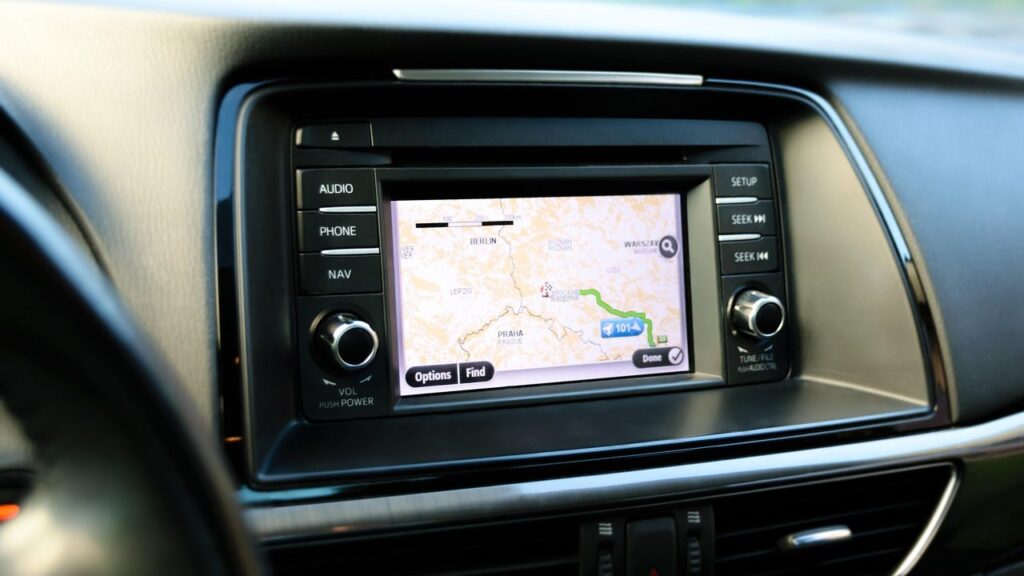
Alfa Romeo car navigation screen with a map

techremontas.lt Repair receipt

initial diagnostics
€10
fault identification time
1–2 days
map update warranty
12 mo.
map sets CD01–CD11
11 reg.

Price agreed before repair · warranty on work

Which city is more convenient for you?

Vilnius

Kareivių g. 11A, Žirmūnai

„Rimi“ next to McDonald’s

Kaunas

Savanorių pr. 155, Žaliakalnis

Klaipėda

Sausio 15-osios g. 13

Next to „Avitela“

Šiauliai

Gegužių g. 30

PC „Arena“

  • Diagnostics within 1–2 days
  • Price agreed in advance
  • Mon–Fri 9–18
  • All contacts

Alfa Romeo navigation users most often complain about two things: the map is outdated and, while driving, shows an empty field instead of a new local road, or the system freezes altogether, does not show the position or does not turn on. In the first case, updating the maps is enough; in the second, the cause of the fault must be determined first.

This page covers the maps for Connect G2/DB3 systems, which models are compatible, what faults occur and how the repair works. We carry out map updates in Vilnius and Kaunas. For fault diagnostics, please call first and consult with us.

  • How much does diagnostics cost? Initial diagnostics costs €10. The final repair price is given after diagnostics and agreed in advance.
  • How long does fault identification take? The fault is identified within 1–2 business days after the device is handed over to the service centre.
  • Where are maps updated? Alfa Romeo map updates are provided in Vilnius and Kaunas. For other cities, please call.
  • What warranty is provided? A 12-month warranty is stated for map updates. A warranty is provided for repair work, and the technician explains its terms when agreeing the price.
Most common Alfa Romeo navigation faults

Below are the symptoms people most often come to us with, and what the technician checks in each case.

01

The navigation shows an outdated map

WhyThe map has not been updated for several years, so new roads, roundabouts and bypasses are missing.

Check yourselfCheck which map version is shown in the system settings.

What we doThe updated map version for your region is installed (for example, CD10 for Lithuania).

0210 €

The navigation does not work or does not show the map

WhyThe map data carrier may be damaged, or there may be a software error or a poor contact.

Check yourselfTurn the ignition off and on again, and check that the map carrier is inserted correctly.

What we doDiagnostics are performed, after which we tell you whether rewriting the data is enough or the device needs repair.

0310 €

The navigation does not detect satellites or shows the wrong location

WhyMost often the antenna, its connector or the device’s GPS module is at fault.

Check for yourselfCheck that the spot is not covered, the screen is not glaring, and there are no foreign objects on the instrument panel.

What we doThe technician checks the antenna circuit and the GPS module.

0410 €

The system sometimes switches off or restarts

WhyPossible causes are power supply, contact or overheating faults, as well as software errors.

Check for yourselfNote when it happens and tell the technician.

What we doDuring diagnostics we determine whether the fault is constant or appears only under certain conditions.

05

It does not find new streets or the route is inaccurate

WhyThe map data is older than the changed traffic layout.

Check for yourselfCompare the route with a phone app to see which section differs.

What we doThe map set is updated; if errors remain after the update, additional diagnostics are performed.

Myths about car navigation

  • Myth. The maps of integrated navigation update themselves. In fact. In most older systems, including Connect G2/DB3, the maps must be updated manually, so they become outdated over time.
  • Myth. If the navigation does not work, the whole device has to be replaced. In fact. The problem is often in the map data, the connector or the antenna. It is worth running diagnostics first and only then deciding on a more expensive solution.
  • Myth. A phone completely replaces car navigation. In fact. A phone is convenient, but it needs a holder, charging and sometimes internet. An integrated system works without internet and shows the route on the car’s screen.

Which Alfa Romeo systems the maps are suitable for

Our map update is intended for Alfa Romeo Connect G2/DB3 systems. The following models are listed: Alfa Romeo 159 (2008.02–2009), Brera (2008.03–2009) and Spider (2008.03–2009).

The same system was also used in some Lancia models: Phedra (2005–2007), Musa (2007.12–2012) and Ypsilon (2008.03–2011). If you have a Lancia, see also the Lancia navigation page.

If you are unsure whether your car’s system is suitable, call before you come and tell us the model and year of manufacture.

The technician checks the car navigation system

Map sets CD01–CD11

The maps are divided into regional sets marked CD01–CD11. The set for Lithuania is CD10, which includes Estonia, Latvia, Lithuania (detailed), Belarus and Ukraine. If you are travelling to Poland, the Czech Republic, Slovakia, Slovenia or Hungary, you need CD09.

The other sets cover France (CD01), Spain and Portugal (CD02), Italy (CD03), the Benelux countries (CD04), Austria, Switzerland and southern Germany (CD05), Germany (CD06), Britain and Ireland (CD07), Scandinavia (CD08) and the Balkan countries (CD11).

  • CD03 – Italy, CD06 – Germany, CD07 – Great Britain and Ireland
  • CD09 – Czech Republic, Poland, Slovakia, Slovenia, Hungary
  • CD10 – the Baltic states, Belarus, Ukraine

Before a long trip, choose the set according to the countries you will drive through, not only according to the final destination.

Why the navigation does not work or makes mistakes

An old map version is the most common reason why the system shows a non-existent junction or does not know about a new bypass. This is not a fault, just missing data.

If the navigation does not show the map, does not find satellites or sometimes switches off, you need to look deeper: the cause may be a software error, the data carrier, the connectors or the hardware of the device itself. The exact cause cannot be determined from the symptoms alone, so diagnostics are performed.

Have you noticed that the screen flares up sporadically? Tell the technician when it happens: on a cold morning, after a long drive or after moisture.

Is a phone with Google Maps enough

Many people ask whether a phone with Google Maps or another app would be enough. A phone is convenient, but integrated navigation in a car has advantages: without an internet connection the maps work from the device’s memory, the route is shown on the instrument panel screen, and no holder or cable is needed.

At the same time, the maps of an integrated system do not change by themselves, so they need to be updated. For the differences between phone apps, read the article about Waze and Google Maps, and for car navigation systems, the review.

Warranty and where maps are updated

We perform map updates in Vilnius and Kaunas; a 12-month warranty is stated for this service. You can find our general map update services on the navigation update page.

A warranty is also provided for repair work; the technician states its terms together with the price once the fault has been identified. You can find contacts and working hours on the contacts page.

What to prepare before getting in touch

  • Car model and year of manufacture
  • What the symptoms are and when they appear
  • Which countries you plan to visit (to select the set)
  • The map version, if you can see it in the settings
  • Has anyone previously tried to update the map or repair the system?
  • Which city is most convenient for you – Vilnius or Kaunas?

How the process works

  1. Call us or bring the device in. Tell us the model, the year of manufacture and what exactly is wrong. We carry out map updates in Vilnius and Kaunas; for repairs, please consult us by phone.
  2. Diagnostics. The initial diagnostics cost 10 €. The fault is identified within 1–2 business days.
  3. Price and timeframe. The technician tells you what is broken, how much it will cost and how long it will take. We do not carry out any repairs without your consent.
  4. Repair or update. The agreed work is carried out: installing the maps or fixing the fault.
  5. Pick-up with a warranty. You collect the device with a warranty. For map updates, a 12-month warranty is specified; the technician will explain the repair warranty terms.

Frequently asked questions about Alfa Romeo navigation

Which Alfa Romeo models are these maps suitable for?

The systems listed are Connect G2/DB3: Alfa Romeo 159, Brera and Spider (2008–2009), as well as Lancia Phedra, Musa and Ypsilon. If your model is not on the list, call us and we will advise you.

Which set is intended for Lithuania?

Lithuania is covered in detail in the CD10 set, together with Estonia, Latvia, Belarus and Ukraine. If you are travelling to Poland or the Czech Republic, you will also need CD09.

Where can the maps be updated?

Map updates for Alfa Romeo systems are provided in Vilnius and Kaunas. For other cities or for repairs, please call in advance and consult with us.

How much does diagnostics cost?

The initial diagnostics cost 10 €. The fault is identified within 1–2 business days, and the repair price is given after the diagnostics and agreed in advance.

Does the navigation work without the internet?

The car’s built-in navigation stores the maps in the device’s memory, so it calculates routes even without the internet. The internet is only needed for additional features, if your system has them.

Will the maps be in Lithuanian?

The map of Lithuania is included in detail in the CD10 set. The system’s menu and voice language depend on the specific equipment, so it is better to clarify this before the update.

Other car brands

🚗 Professional navigation map updates – prices, process and service points

Broken device?

Give us a call – we will tell you what we can do and how long it will take.

Call Find a service point